This page covers the issues that come up most often when YOSA indexes your site, and what to do about each one.
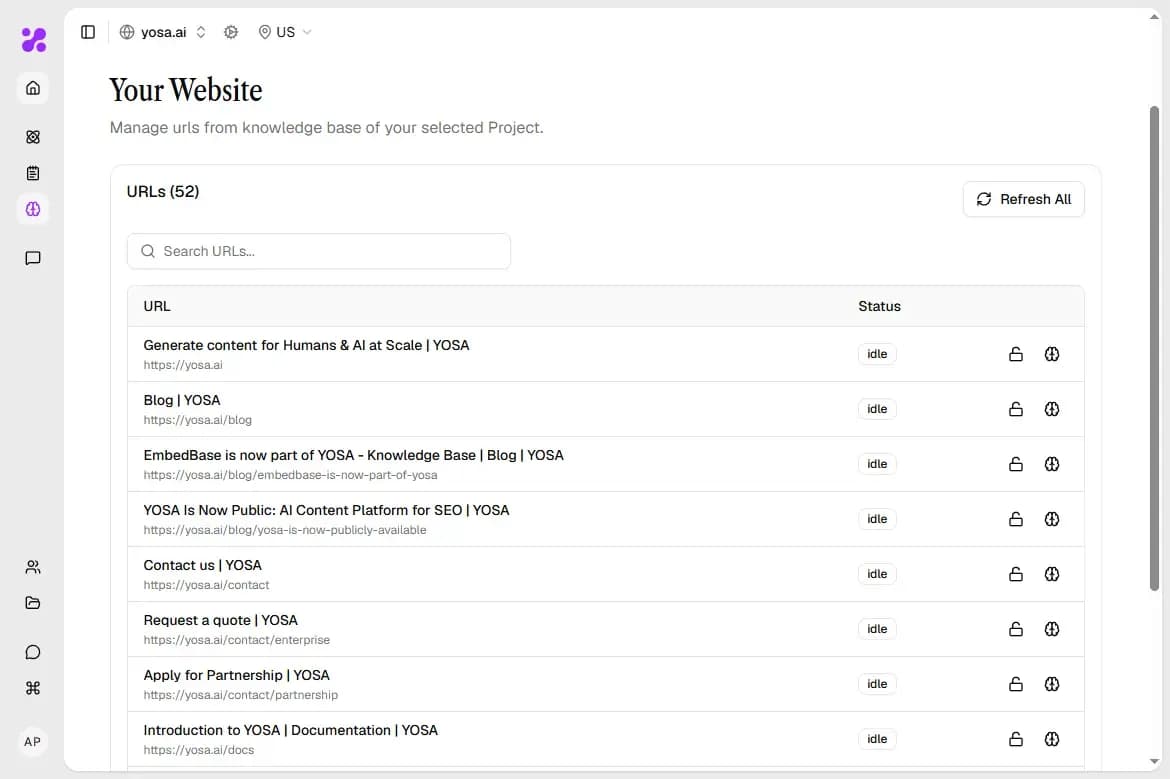
You can check your URL-s statuses in Knowledge Base tab
1. YOSA crawled only some of my URLs
⚠️ Note: If exactly 1,000 URLs were crawled, this is not a Knowledge Base problem. It is the crawl limit that applies to unverified domains. Complete Domain Verification to lift it. After verifying, refresh the Knowledge Base to pick up the rest of the site.
This may be an issue with your limits or your sitemap.
First, check your Crawls and URLs usage in Organization settings:
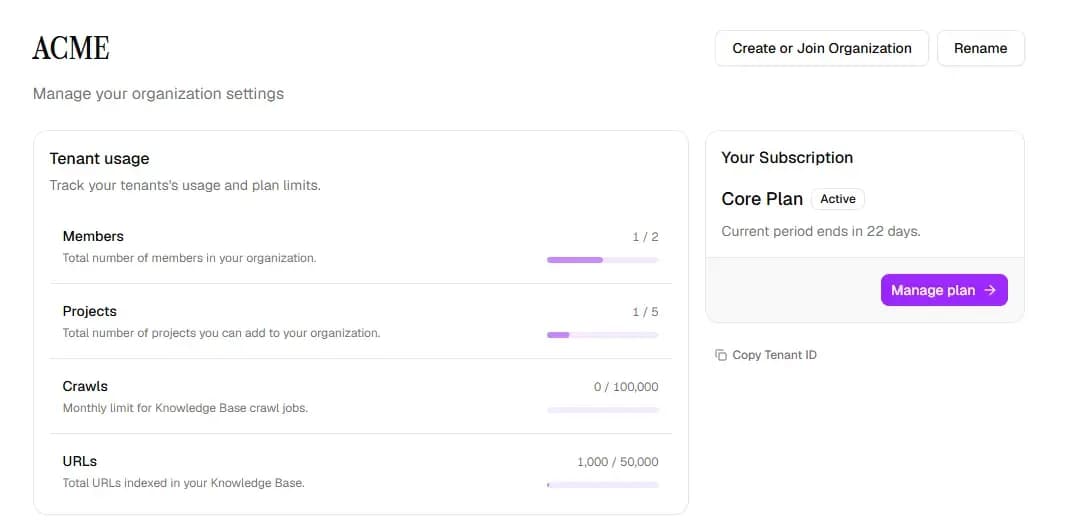
If Crawls are used up, you will need to upgrade your plan or wait for the next period (when the limit resets).
If your URLs are used up, you will need to upgrade your plan or delete URLs from other projects Knowledge Base (or the whole projects) to make room for the new ones.
If the limits are not an issue, follow the next steps:
YOSA discovers pages two ways: through your sitemap or via recursive crawling (as a backup). If the sitemap is present, crawlable, and seems complete, YOSA will only crawl the URLs that are specified in it.
As a result, if your sitemap is incomplete, the Knowledge Base will be too.
Here’s what you can do:
- Open your sitemap (usually
yourdomain.com/sitemap.xml) and check that it is valid and lists every page you want indexed. - Fix or regenerate the sitemap on your side.
- Refresh the crawl in YOSA.
If the count is still short after a refresh, contact us and include your sitemap URL - we will look at what YOSA is seeing.
2. URLs were found but return an Error status
YOSA found the addresses but could not fetch the content. This almost always means something on your side is blocking the crawler.
How to fix it:
- Check if your
robots.txtdoes not disallow YOSA's crawler, - Make sure, that no firewall, WAF, or bot protection rule is filtering it out (Cloudflare Bot Fight Mode, rate limiting, and similar tools are common causes),
- Add an exception for YOSA's crawler if you use any of the above.
If errors persist after allowing the crawler, report it to us with a few of the affected URLs and we will help.
3. Crawling is in progress and nothing appears
This is usually normal. Crawling takes anywhere from a few minutes to around fifteen, and larger sites take longer.
Wait it out. If the status has not changed after an hour, check your limits as said in “1. YOSA crawled only some of my URLs” above. If thats not the case, contact us.
4. YOSA crawled URLs that do not exist
Two likely causes:
- Stale sitemap. Old addresses are still listed in it. Clean them out and refresh the crawl.
- Site architecture generating URLs. Product search tags, faceted navigation filters, and similar patterns can produce large numbers of thin or duplicate pages that end up in the sitemap.
You can clean this up if you want - it is generally good for SEO anyway - but it will not hurt your content. When creating content YOSA only pulls the content most relevant to the topic when generating, so unused pages sit in the Knowledge Base without affecting the output.
Still stuck?
Reach out to us through “Send Feedback” in app or at [email protected] and include your Project domain, your sitemap URL, and a few example URLs that are failing. That is usually enough for us to diagnose it quickly.
Next steps
- Knowledge Base - what YOSA indexes and how to refresh it
- Domain Verification - lift the crawl limits
- Project settings - managing domains and Project configuration