Single mode generates one piece of content at a time. It's the default mode you land on when you go to Home or Content → Generate Content.
For a full breakdown of every field, source setting, and how grounding works, see the Content Generation overview. This page covers what's specific to Single mode and any other content generation.
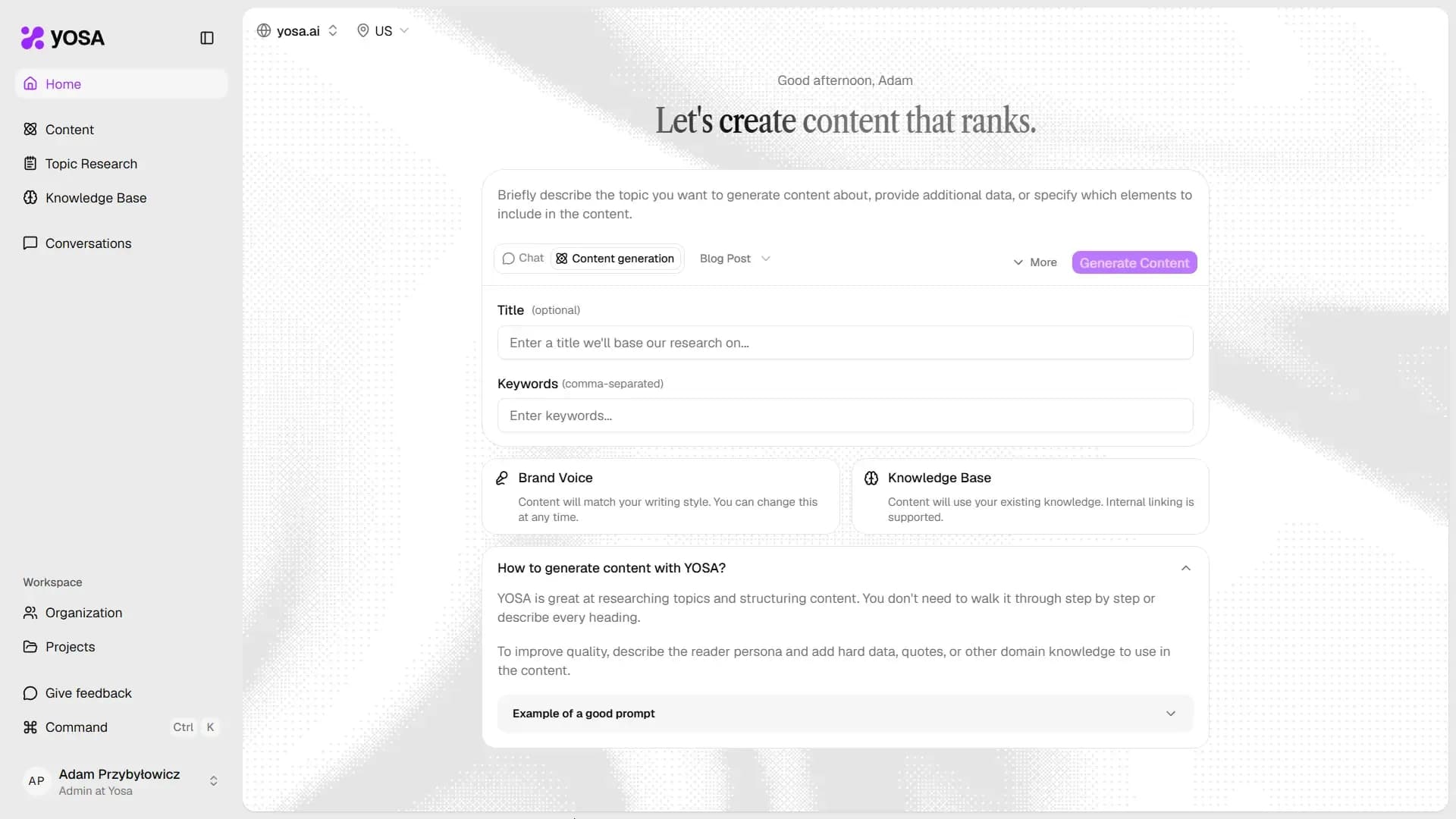
What you fill in
- Prompt - the topic, structure, and any data this specific piece needs. See Prompt guide.
- Title (optional) - leave blank to let YOSA generate one from research.
- Keywords - your primary keyword plus any secondary terms.
- Content type - Blog Post, Guide, Explainer, Product, or Category.
Brand Voice and Knowledge Base are applied automatically (you can check them via the shortcut cards below the form).
Web search / source selection can be adjusted under More - both work exactly as described in the Content Generation overview.
Generating
Once the form is filled in, click Generate Content and wait for the results or skip the dialog box and keep working. YOSA will notify you when your content is ready.