Comments let you leave targeted rewrite instructions directly on specific sections, paragraphs, sentences, or even words. Once you submit them, the edits are applied instantly - just like leaving notes for someone writing on your behalf, but without the back-and-forth.
How to leave a comment:
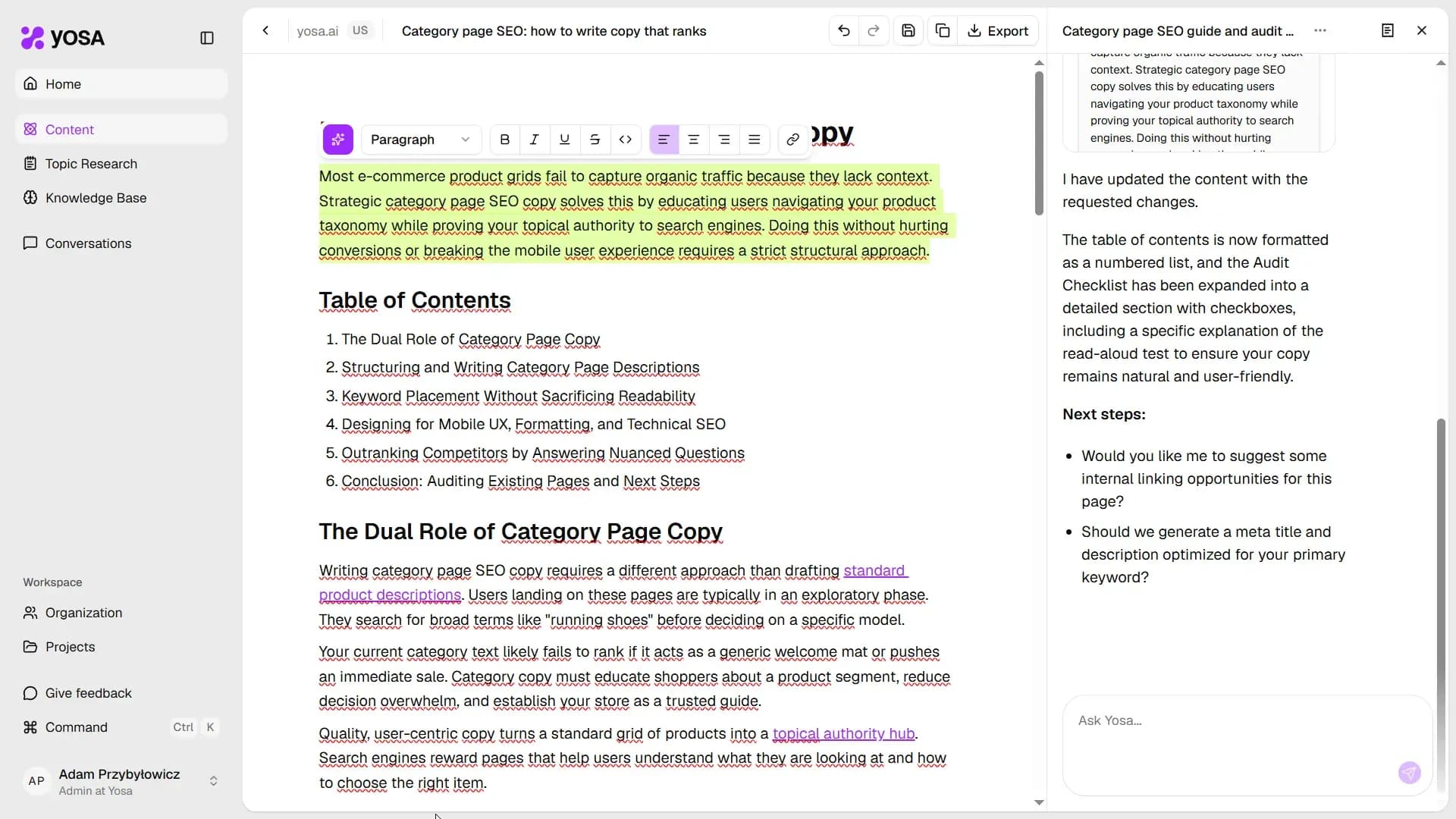
- Select any text in the editor.
- A formatting toolbar appears above the selection.
- Click on the magic edit button (the violet one with star icon) - then type your instruction and hit Enter.
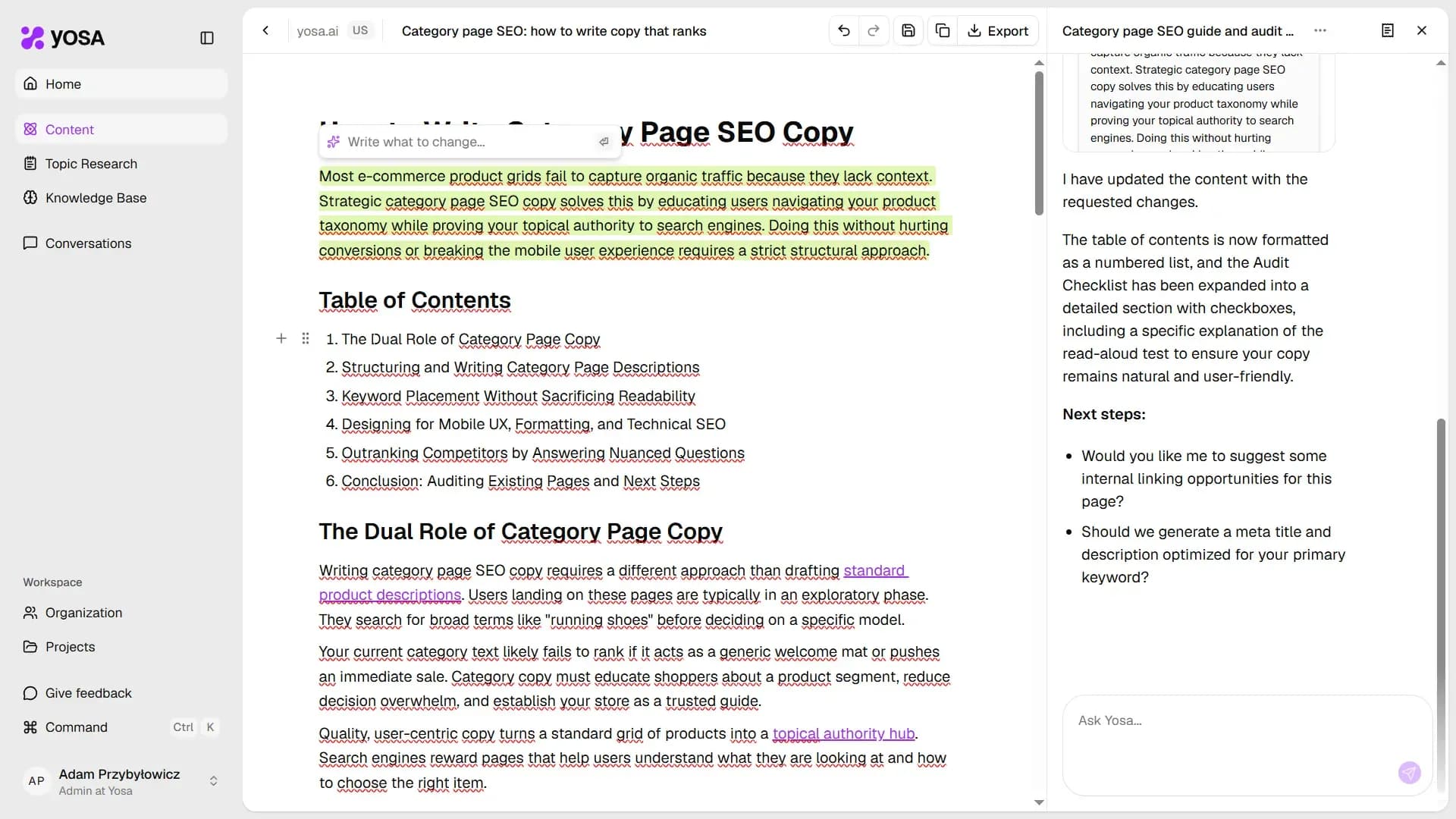
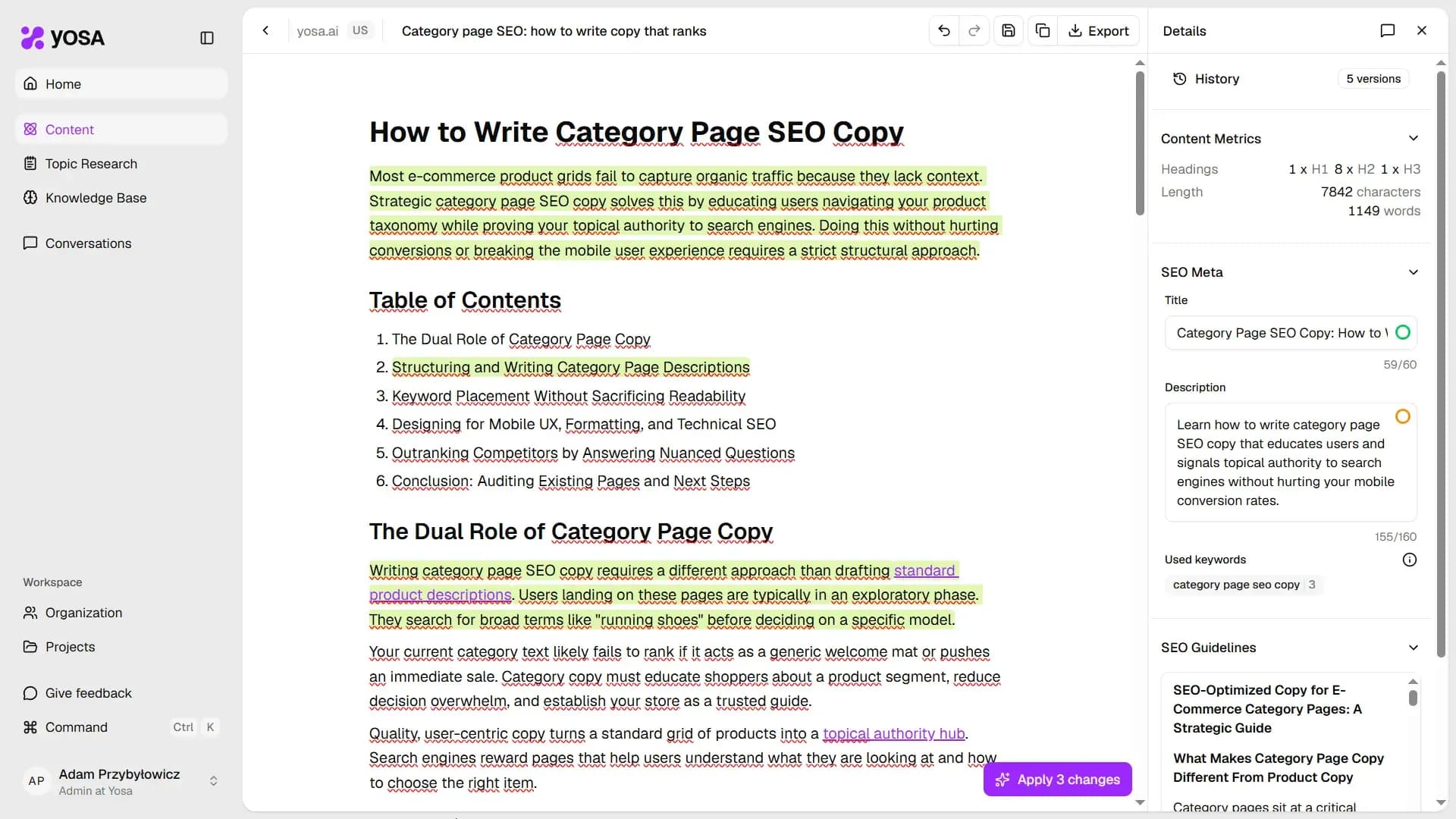
You can add multiple comments across the article before sending anything to YOSA.
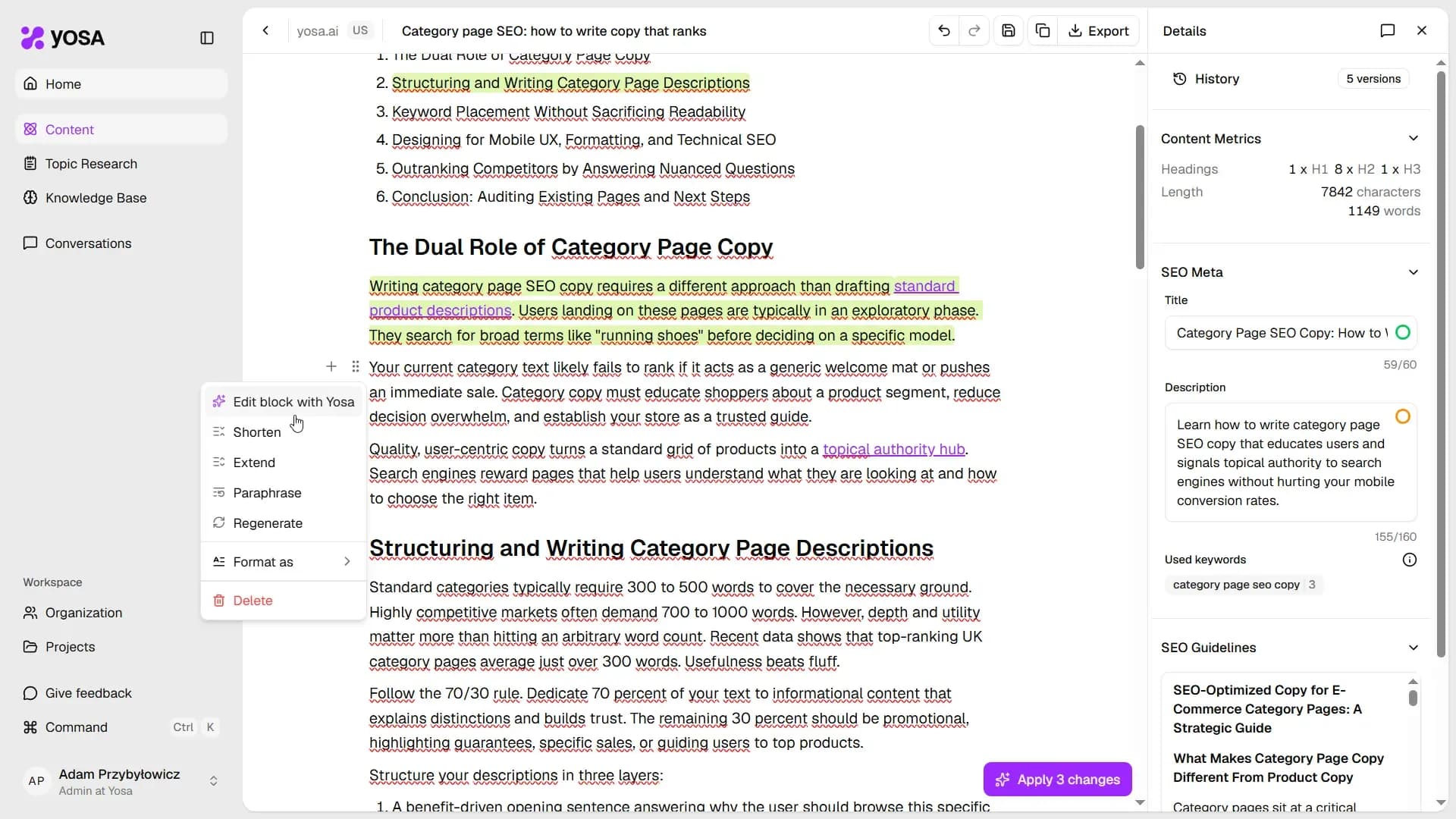
You can also add a comment to the whole text block in Canvas (for e.g. a paragraph, heading or a table):
Applying comments:
When you're ready, click Apply X changes in the bottom-right corner. A summary panel appears showing all pending comments and the intended changes. Confirm to send them all to YOSA at once - each comment is processed in context, so rewrites are aware of each other and of the surrounding article.