YOSA generates SEO-ready content using a multi-agent pipeline - research, briefing, writing, and review happen automatically before the draft reaches you.
This page covers everything you need to know before starting a generation.
Navigate to Home or Content → Generate Content to get started.
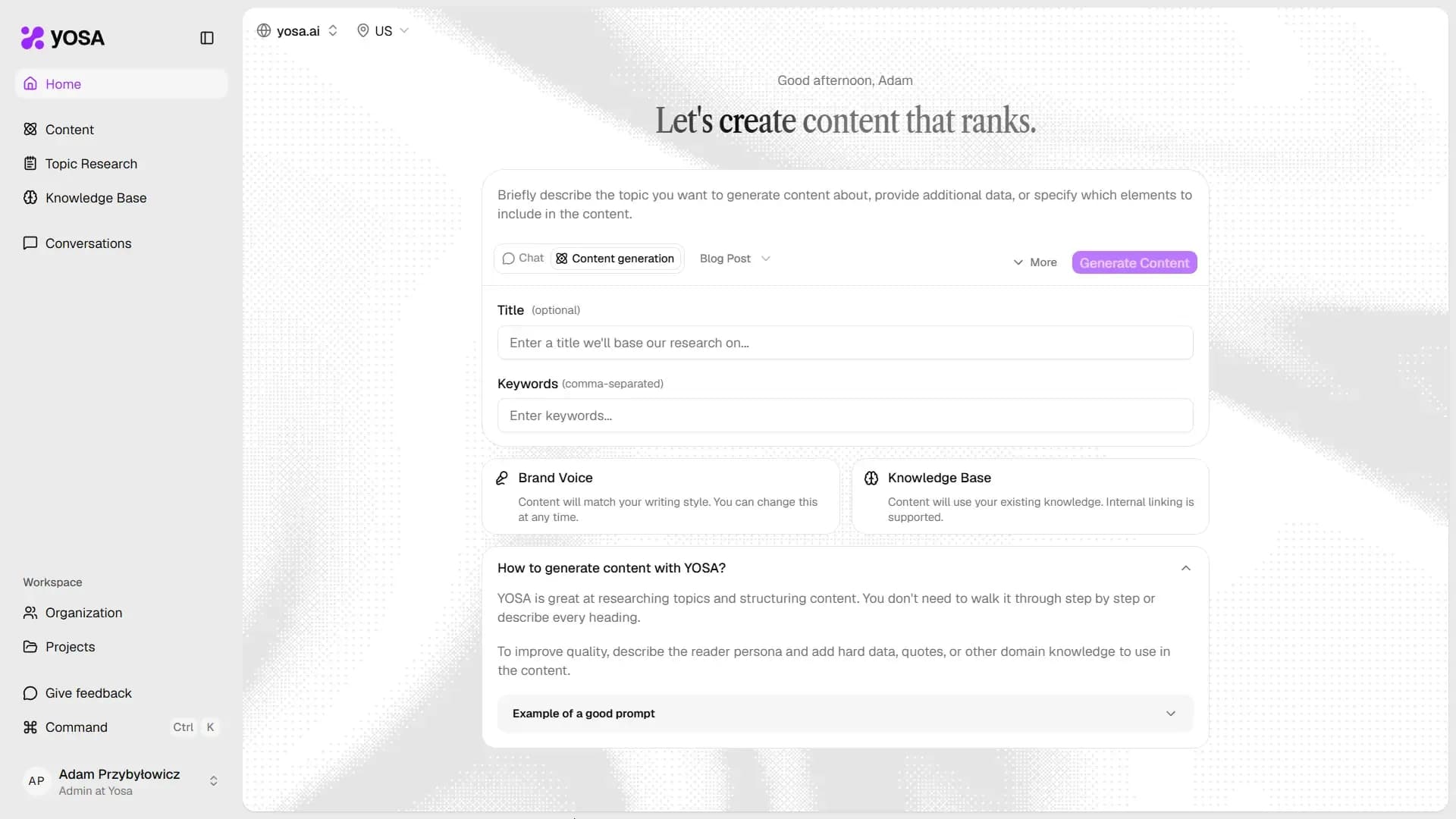
Filling in the form
The prompt field
This is where you describe what the piece should actually contain - topic, angle, structure, data to include, anything to avoid. Style, tone, and general writing rules come from your Brand Voice, so you don't need to repeat those here.
See the Prompt guide page for detailed guidance and examples.
Title (optional)
Only set a title if you have a specific idea for it. It is used as a guide in web research. Otherwise, leave it blank - YOSA researches your keywords and generates a title based on live SERP data and search intent.
Keywords
Enter your primary keyword, followed by a few secondary terms, separated by commas.
If you provide fewer than five keywords, YOSA automatically researches and adds more based on intent data. Your own keywords always take priority - YOSA-suggested ones never override them.
Content type
Select the format from the dropdown next to "Content generation". The content type changes the structure, headings, and formatting logic the AI agents use:
- Blog Post
- Guide
- Explainer
- Product (description)
- Category (description)
Brand Voice and Knowledge Base
Below the form, you'll see two shortcut cards:
- Brand Voice - links to your project's Brand Voice settings. Content always matches your writing style, you can adjust it at any time.
- Knowledge Base - links to your project's Knowledge Base. Content uses your existing site knowledge.

These cards also surface warnings - for example, if no Brand Voice has been generated yet, or if your Knowledge Base is empty or has indexing errors.

Check these before generating.
Web research
Every generation runs with live web research by default: YOSA pulls current SERP results and AI search answers for your topic, and uses the same data to build SEO guidelines. This grounds the output in what's actually ranking right now, not just what the model was trained on.
To adjust this, click More next to the Generate Content button and choose Web search - toggle live web research for this generation on or off.
Source selection
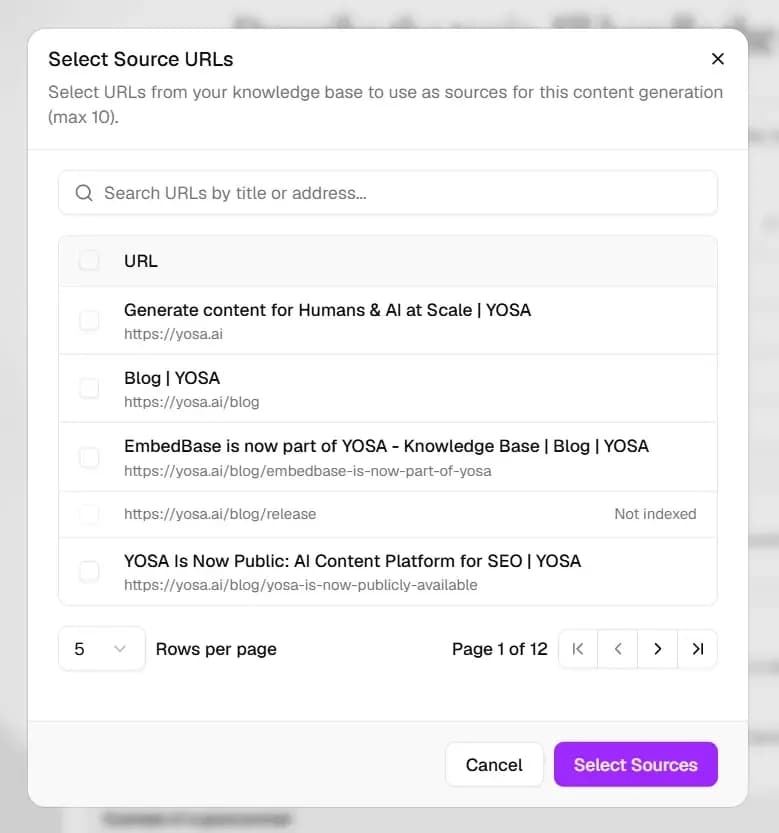
If you want to use any specific sources in your generation, click More next to the Generate Content button and choose Select Sources - choose specific Knowledge Base sources that must be used during generation.
How to generate content with YOSA
There are a few ways to generate content:
- Single generation - creates one piece of content at a time.
- Bulk generation - creates multiple pieces of content in a single batch.
- Generation from Topic Research - creates content for topics you've selected from a Topic Research list.