Brand Voice is YOSA's content style profile for a project. It defines the tone, vocabulary, sentence structure, and formatting rules that apply to every generation - so output sounds like it came from your site.
Brand Voice is applied automatically during content generation and Canvas rewrites. You don't need to reference it manually - once it's set for a project, it's active.
How Brand Voice is created
When you add a new project, YOSA automatically generates a Brand Voice by analyzing your site's existing content. Once the crawl completes, a notification appears in the Projects view: Brand Voice for [domain] has been created - Ready to review.
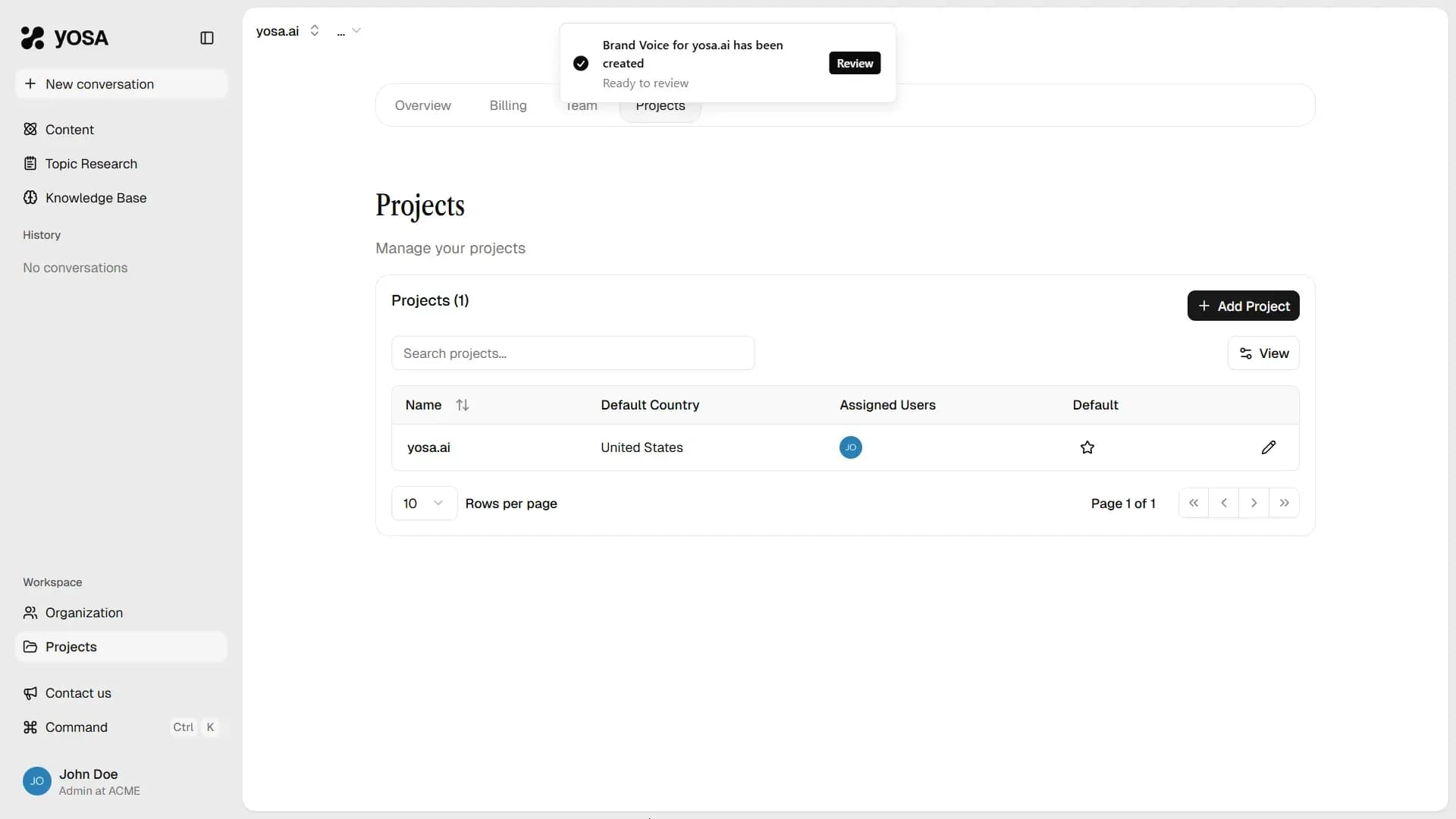
Click Review to open the Brand Voice panel for that project.
Reviewing a new Brand Voice
The Brand Voice panel shows two columns: the current active version (empty for a new project) and the proposed new version generated from your site.
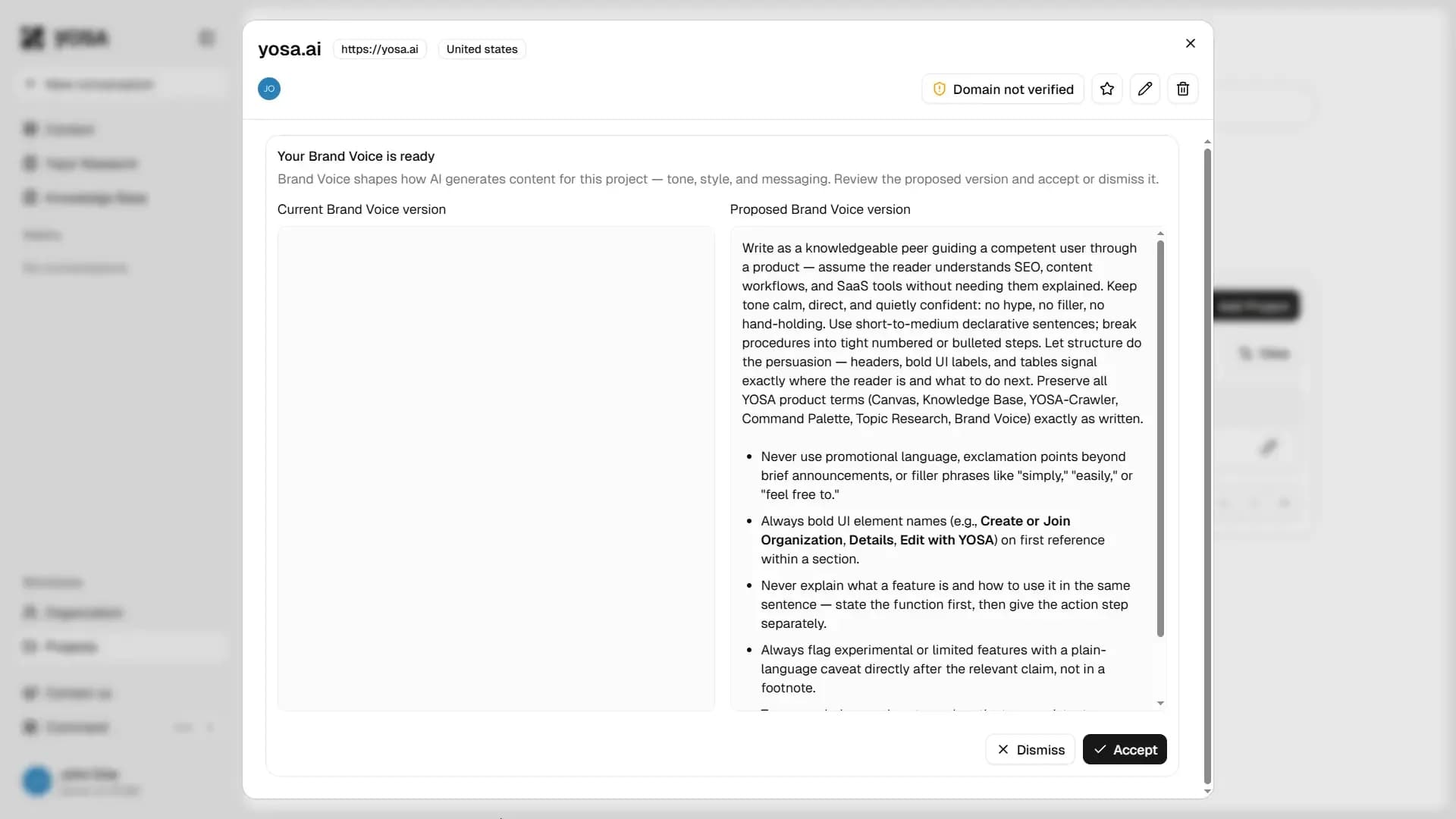
Read through the proposed version to confirm it reflects how your brand actually writes. If it looks right, click Accept - the Brand Voice becomes active immediately. If it misses the mark, click Dismiss and regenerate with different settings or accept and edit manually.
Regenerating Brand Voice
You can regenerate Brand Voice at any time from the Edit Project menu. Open it by clicking the pencil icon next to a project in the Projects list.
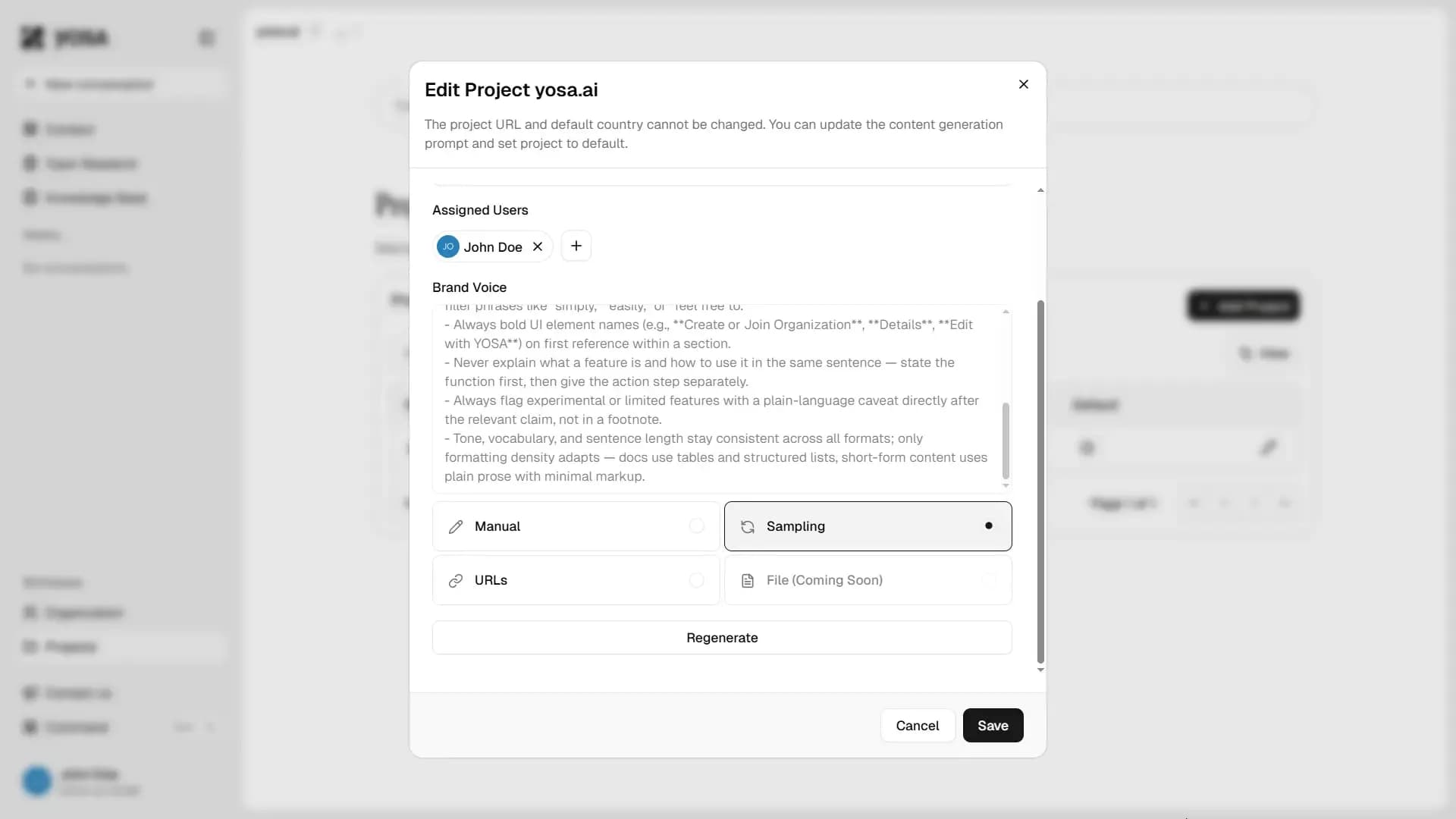
Four modes are available:
Mode | How it works |
Sampling | YOSA samples pages from your crawled Knowledge Base and derives a style profile automatically. |
Manual | Write the Brand Voice instructions directly. Use this when you have precise style guidelines or want full control over the output. |
URLs | Provide specific URLs for YOSA to analyze. Useful when your brand voice is best represented by a particular set of pages rather than the whole site. |
File | Upload a document as the source for Brand Voice generation. Coming soon. |
What Brand Voice controls
Brand Voice shapes how YOSA writes across every content generation in the project. This includes:
- Tone and register - formal, conversational, technical, neutral
- Sentence structure - length, complexity, use of active vs passive voice
- Vocabulary - preferred terminology, words and phrases to avoid, industry-specific language
- Formatting rules - use of bullet points, headers, bold text, numbered lists
- Product and brand terminology - ensuring your specific product names and terms appear exactly as written
Brand Voice operates at the base level - it's not a prompt you write per generation, it's a structural constraint applied to every content generation in the project.