The Knowledge Base is YOSA's index of your site's content. It's built automatically when you add a project and grows as your site gets crawled. Every content generation and Canvas rewrite draws from it - it's what makes AI output grounded in your specific site rather than generic web knowledge.
Access it from the sidebar by clicking Knowledge Base.
Links tab
The Links tab shows all URLs that have been crawled and indexed for the active project.
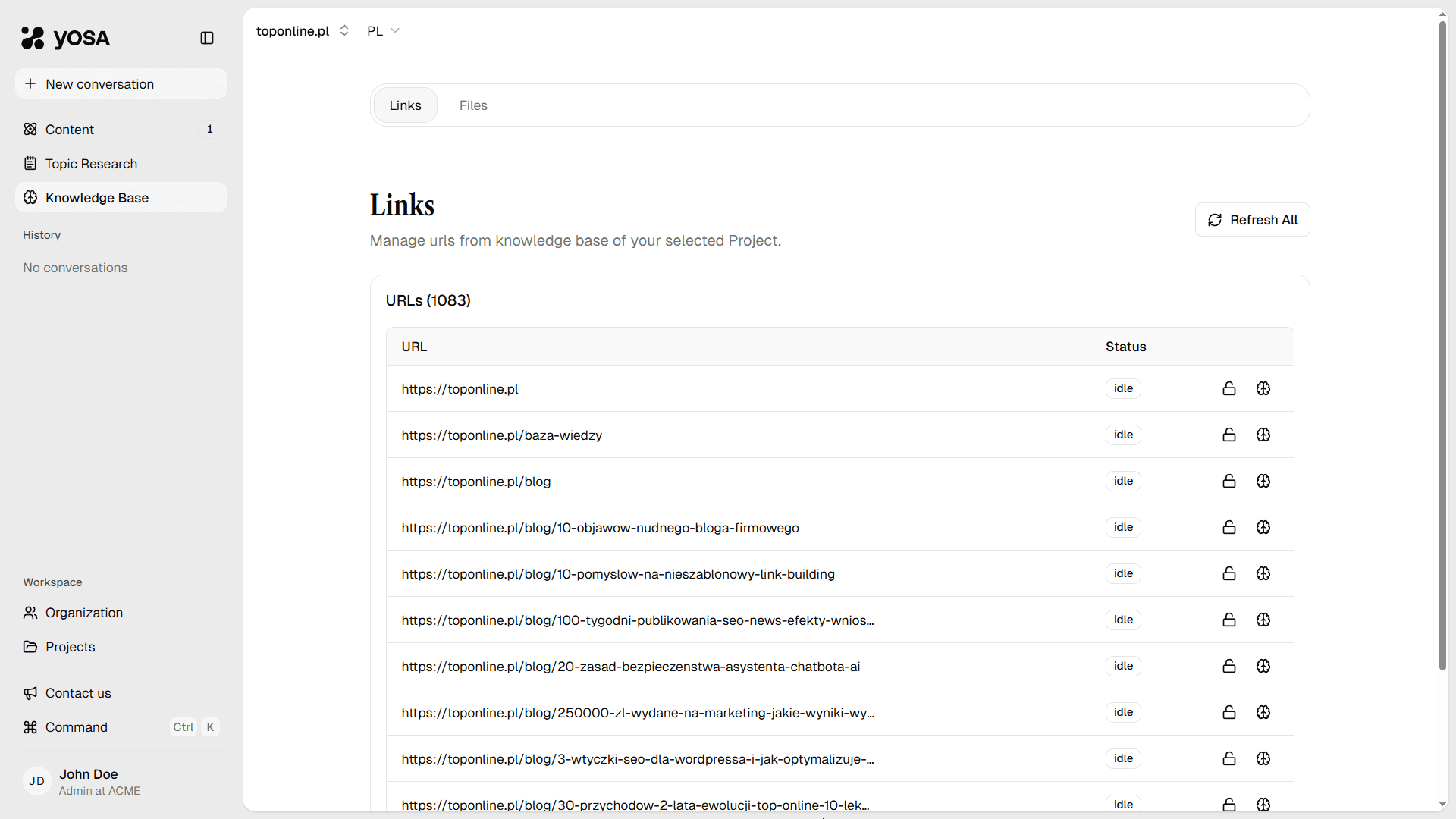
The header shows the total number of indexed URLs and your plan's URL limit.
Each URL in the list has a status and two action icons.
URL statuses
Status | Meaning |
idle | Crawled successfully and indexed |
error | Crawl failed — the page couldn't be retrieved |
URL actions
Each row has two icons:
Icon | Action |
Lock | Lock to prevent re-crawling - the URL stays in the index but won't be updated on the next crawl |
Exclude | Exclude from content generation - the URL remains indexed but YOSA won't use it as context during generation |
Refresh All
Click Refresh All in the top-right corner to trigger a full re-crawl of all unlocked URLs in the project. Use this after publishing significant changes to your site that you want reflected in the Knowledge Base.
URL details
Click any URL in the list to open its detail panel.
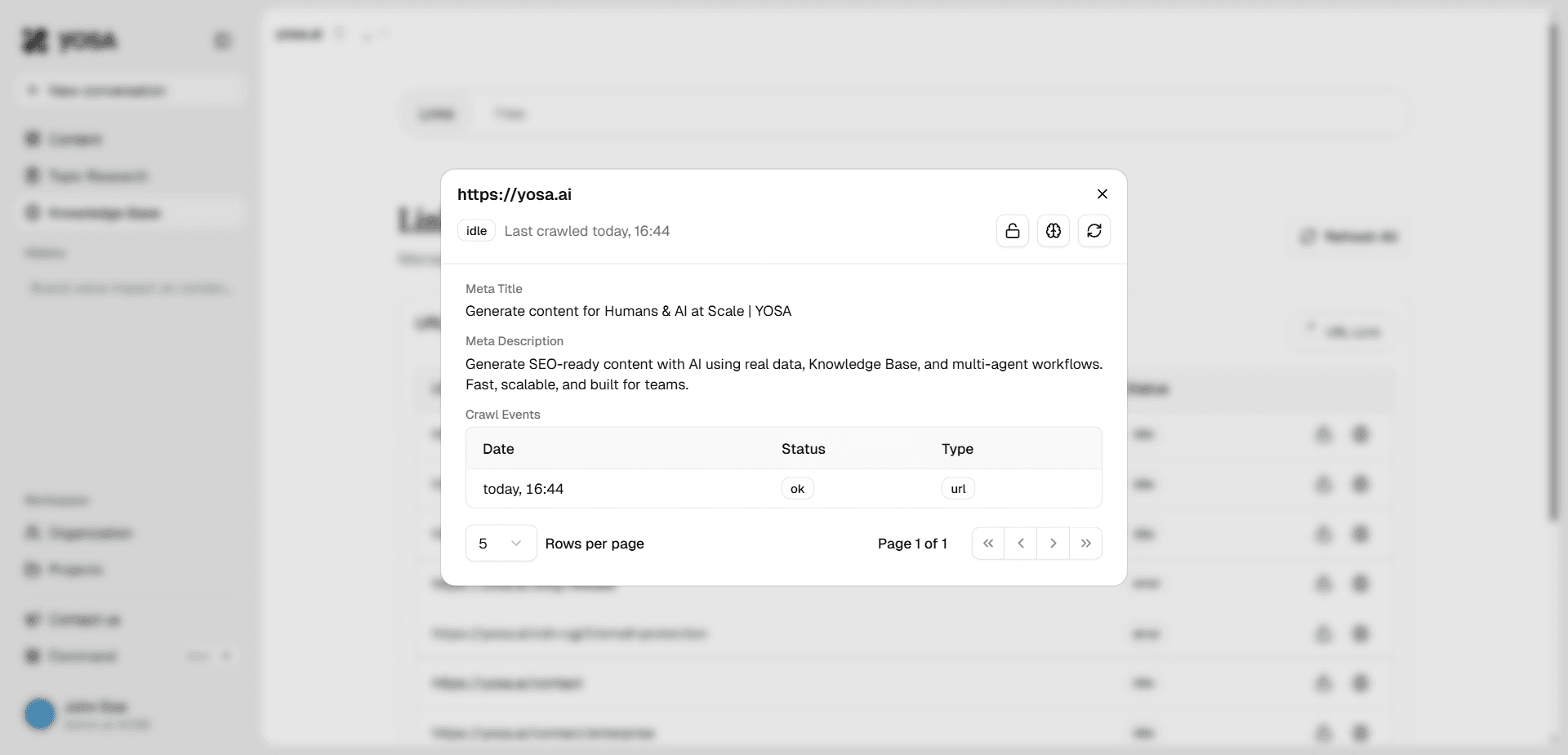
The panel shows:
- Status and timestamp of the last crawl
- Meta Title and Meta Description extracted from the page
- Crawl Events - a log of every crawl attempt for this URL, with date, status, and type
From the detail panel you can also:
- Lock the URL to prevent future re-crawling
- Exclude it from content generation
- Re-crawl this URL - trigger an immediate crawl of just this page without waiting for the next full refresh
Files tab
The Files tab is where you'll be able to upload documents directly to the Knowledge Base — PDFs, Word files, spreadsheets, and other files that contain knowledge you want YOSA to use during generation.
How the Knowledge Base affects generation
When YOSA generates content for a project, it uses the Knowledge Base as context alongside live web data. In practice this means:
- Generated articles don't repeat what you've already written
- Internal linking suggestions draw from your indexed pages
- Brand terminology and product names appear consistently
- Content reflects the structure and depth of your existing site
The more complete and up-to-date the Knowledge Base, the more relevant the output. Keeping it current - especially after publishing new content or restructuring your site - is worth doing regularly.
Keeping the Knowledge Base current
YOSA crawls your site automatically when a project is created and refreshes itself every month. You can also trigger a manual refresh. A few things that affect coverage:
- Domain verification - unverified domains are crawled with significant limitations. Verify your domain to give YOSA full access.
- robots.txt and access controls - pages blocked by your configuration won't be indexed.
- JavaScript-rendered pages - YOSA-Crawler doesn't execute JavaScript. Pages that require JS to display content will return limited data.
- Locked URLs - locked pages aren't updated on refresh. Unlock them if you want their content refreshed.