This guide walks you through the three steps to go from a blank account to a published-ready article: adding your first project, running Topic Research, and generating content.
The whole thing takes about five minutes.
Step 1: Add a project
A project is a website. Everything in YOSA - content generation, Knowledge Base, Topic Research, keyword data - is tied to a project. Before you can generate anything, you need at least one.
- Go to Organization → Projects in the sidebar.
- Click + Add Project in the top-right corner.
- Enter your website's URL (e.g.
example.com). - Select the Default Country - this determines which SERP index YOSA pulls data from and default content generation language.
- Click Save.
YOSA will start crawling your site and create a Brand Voice for your project - learn how you can adjust it.
After that, crawling will continue in the background, to build your Knowledge Base. This may take a few minutes depending on the size of your site. You can also manage your project knowledge base.
Once the project is saved, select it from the project dropdown in the top bar. You're ready to go.
Step 2: Run your first topic research
Topic Research helps you find what to write before you start generating. One keyword is all you need.
- Click Topic Research in the sidebar, or go to Content → Topic Research.
- Click + Start New Research.
- Enter a Topic - any keyword relevant to your site (e.g.
running shoes,project management,email marketing). - Select a Business Type that matches your site.
- Confirm the Project and Country, then click Start Topic Research.
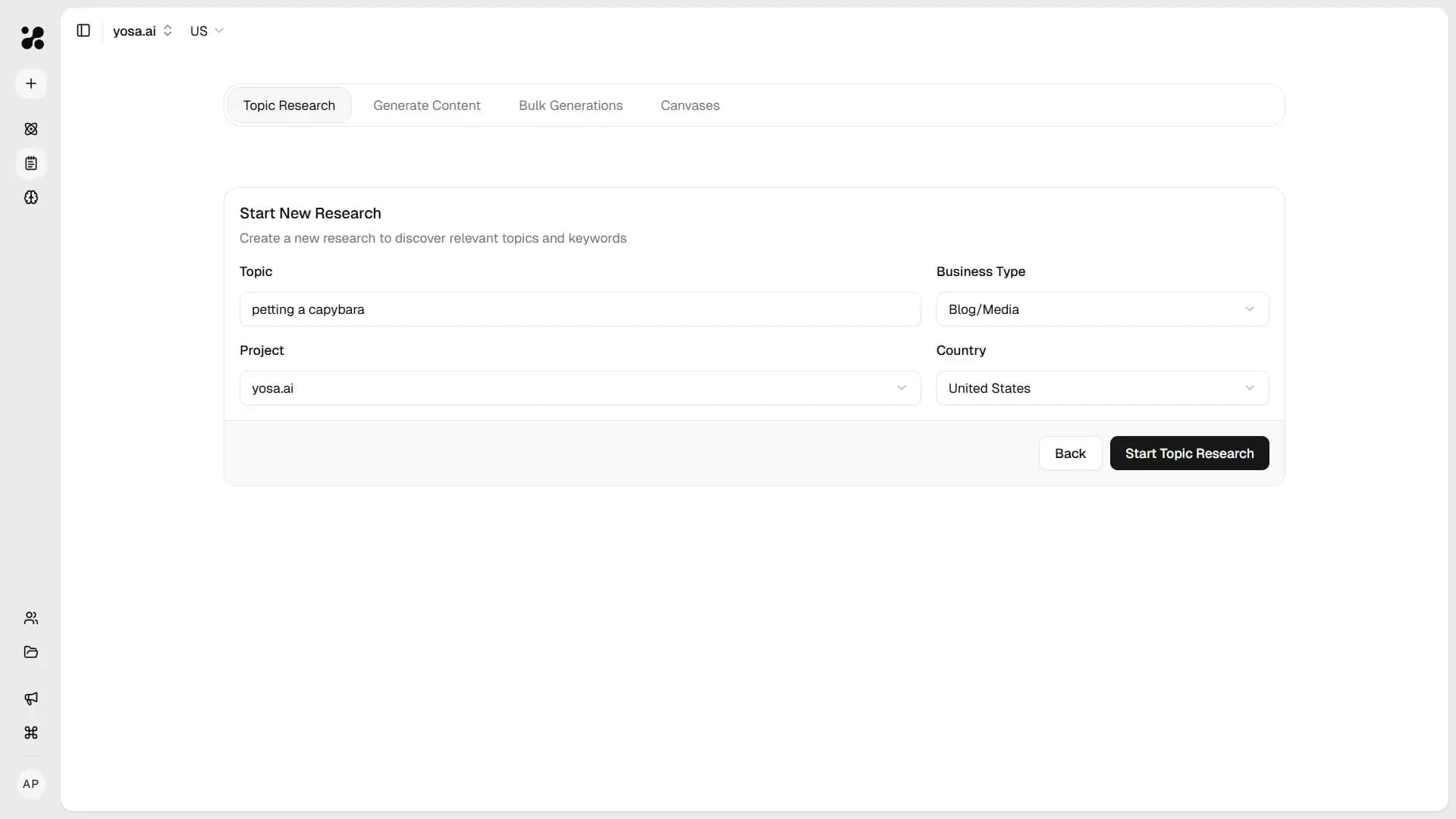
YOSA will pull live SERP data and AI search results for your keyword and generate a clustered list of topics - usually in under a minute.
When it's done, click the eye icon next to your research to open the results. Each topic comes with a suggested title, target keywords, intent type, funnel stage, and strategic reasoning.
Step 3: Generate Your First Article
You can generate directly from Topic Research results or from the Generate Content form.
From Topic Research
- In your Topic Research results, check the box next to the topic you want to write about.
- Click Generate 1 in the bottom-right corner.
- YOSA opens the Generate Content form with the title and keywords pre-filled.
- Review the settings - project, country, and instructions - then click Generate.
From scratch
- Go to Content → Generate Content.
- Fill in the Title, Keywords, and Content Type.
- Click Generate.
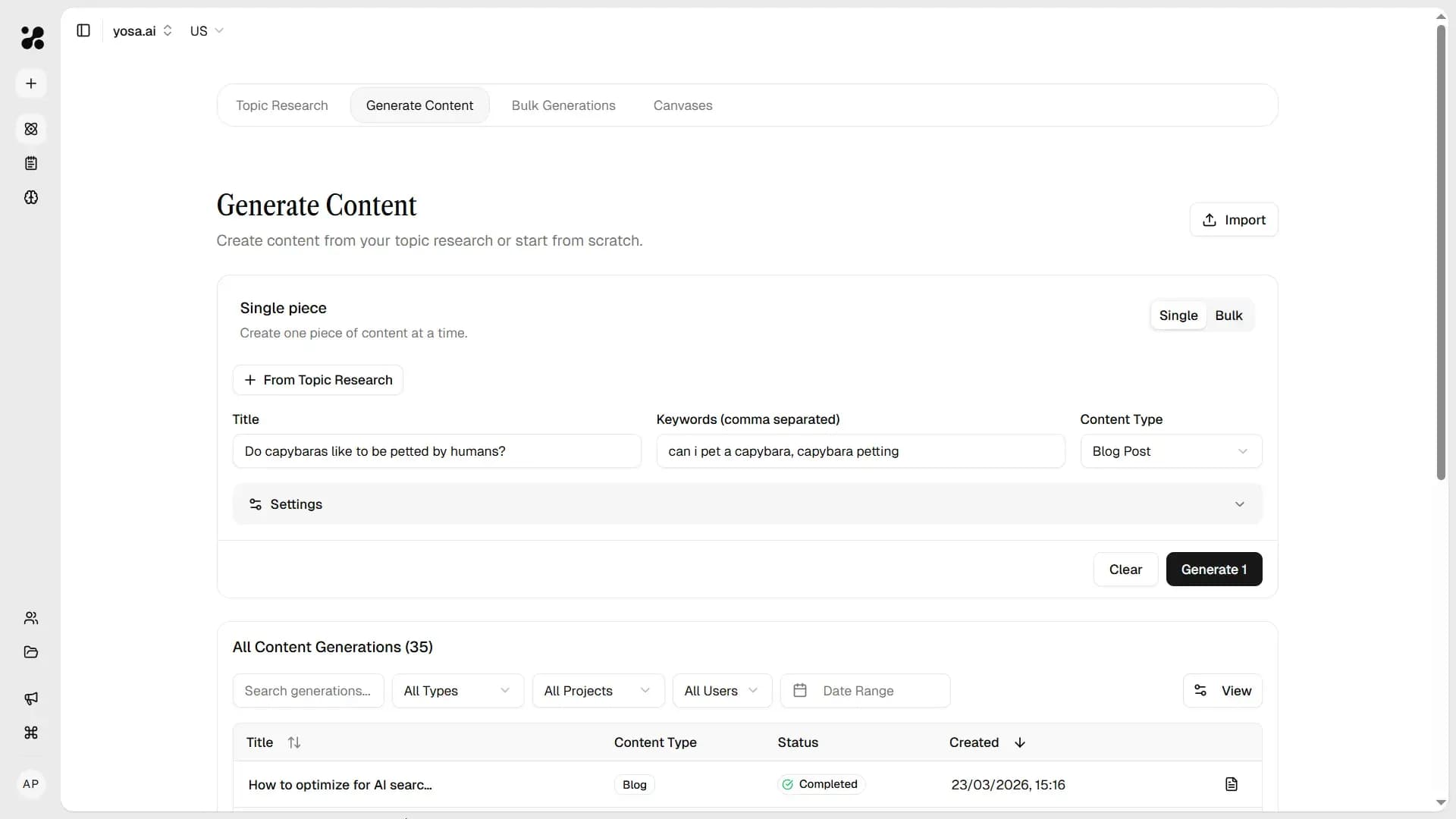
YOSA runs a full pipeline: live web research, brief creation, writing to your brand voice, and an SEO review pass. The result opens automatically in our AI Powered Canvas when it's ready - usually in under two minutes.
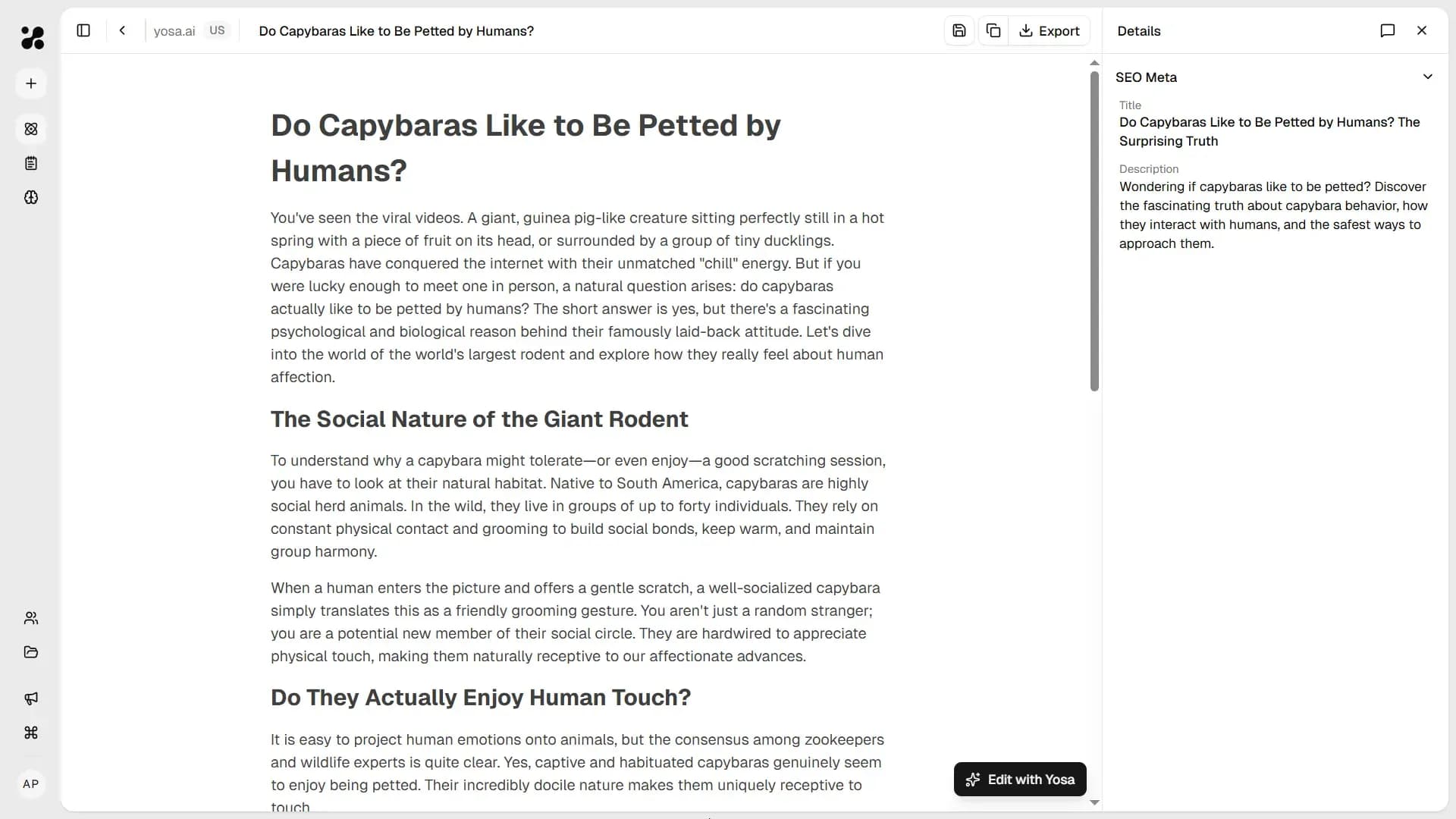
From Canvas you can edit manually, leave comments for AI rewrites, or ask YOSA in chat to refine specific sections.